Scattered equipment, system and spreadsheet data -
upload the manual and AI connects it
Unknown equipment formats and aging in-house systems are fine. Upload the manual or API document, AI proposes how to read the data, and only what a person reviews and approves gets connected to DataCraft.
Data from your equipment and in-house systems -
still copied by hand?
Every machine and meter speaks its own protocol. Decoding the manual takes specialist developers and a lot of time, while the shop floor stays on paper and manual entry.
Groupware and ERP data stays trapped behind screens, and spreadsheets on shop-floor PCs have to be re-typed. Numbers drift and no one knows where the latest value is.
How it works
Upload, review, connect - done
- 1
Register a data source
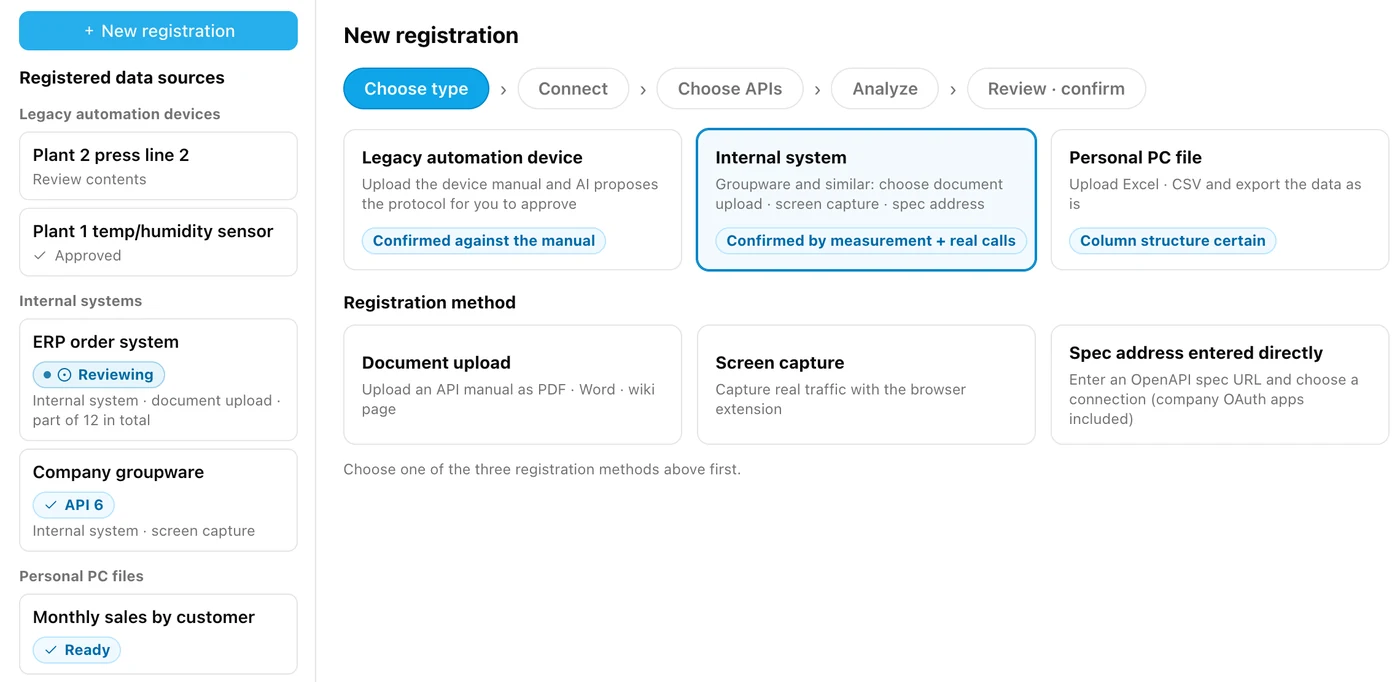
Upload an equipment manual (PDF or Word), an in-house system's API document, OpenAPI URL or screen capture, or an Excel/CSV file. In the app, open it from «Work data connection tools» › «Craft DataLink Studio».
- 2
AI proposes how to read it
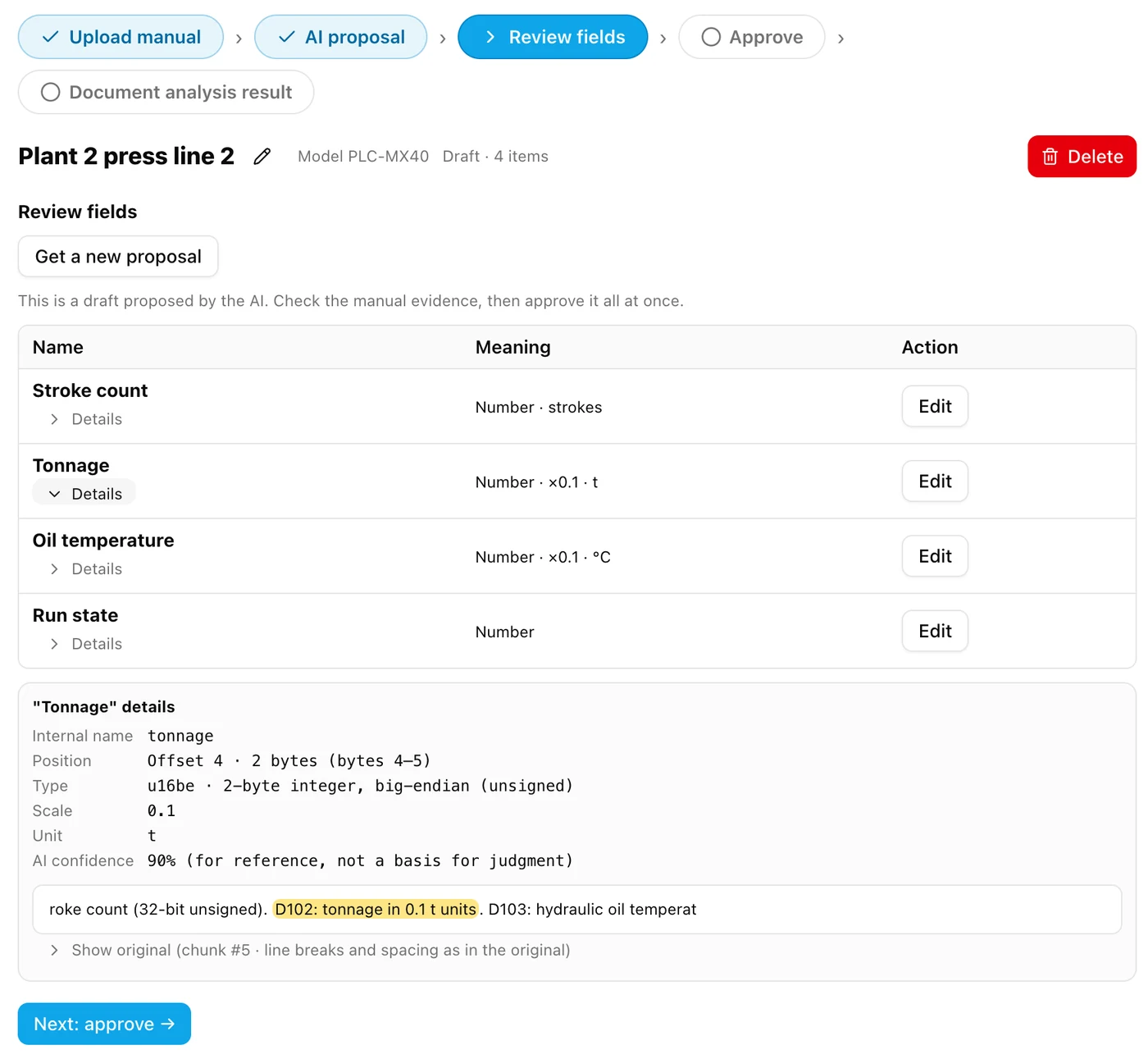
AI proposes byte positions, formats and scaling, which APIs and parameters to call, and what each column means - each proposal shows which part of the manual it's based on.
- 3
A person reviews and approves
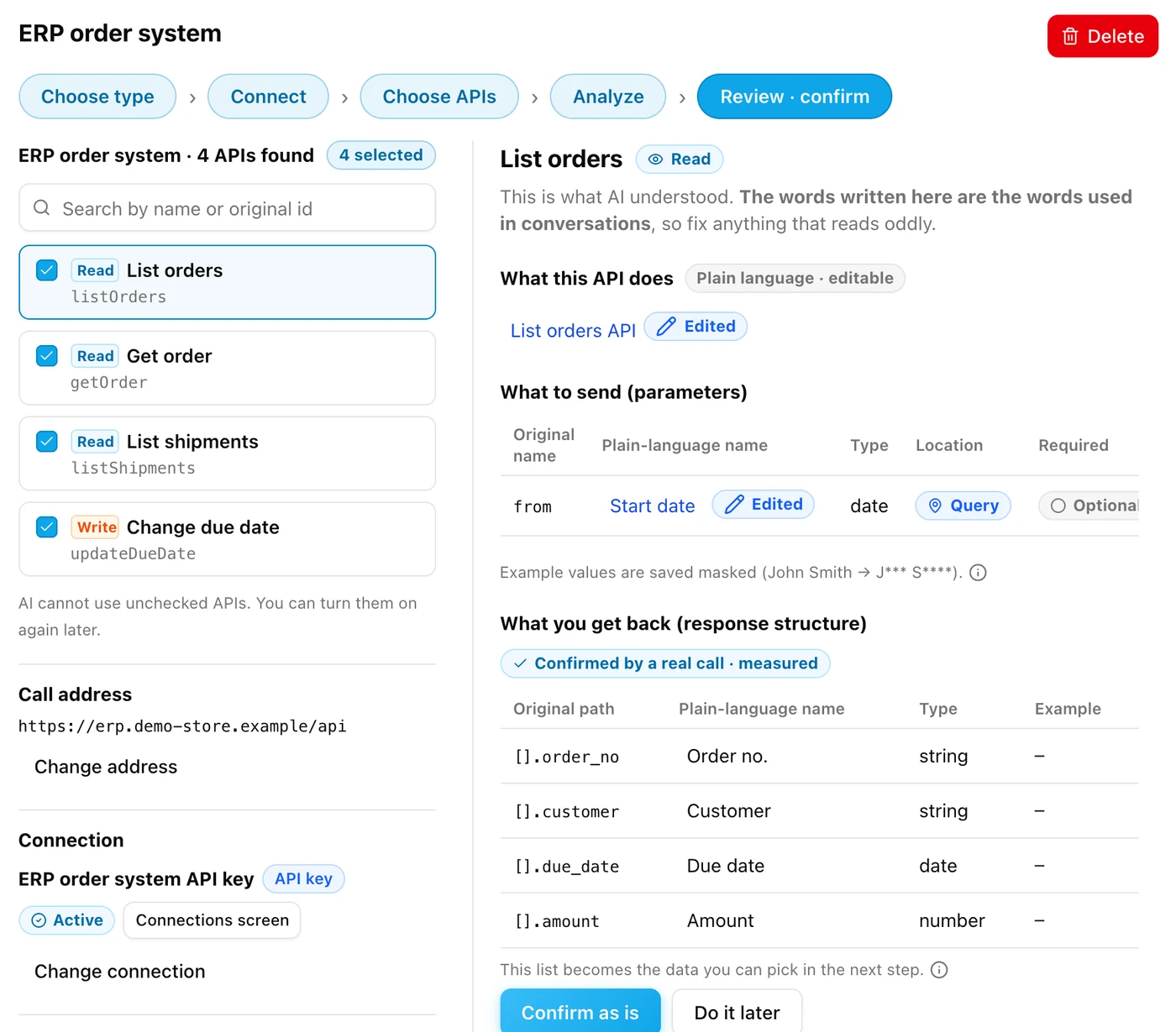
Check the evidence, then approve. When the manual has examples or the system can be called, results are compared side by side so a wrong definition never reaches your work.
- 4
Connect it to your work
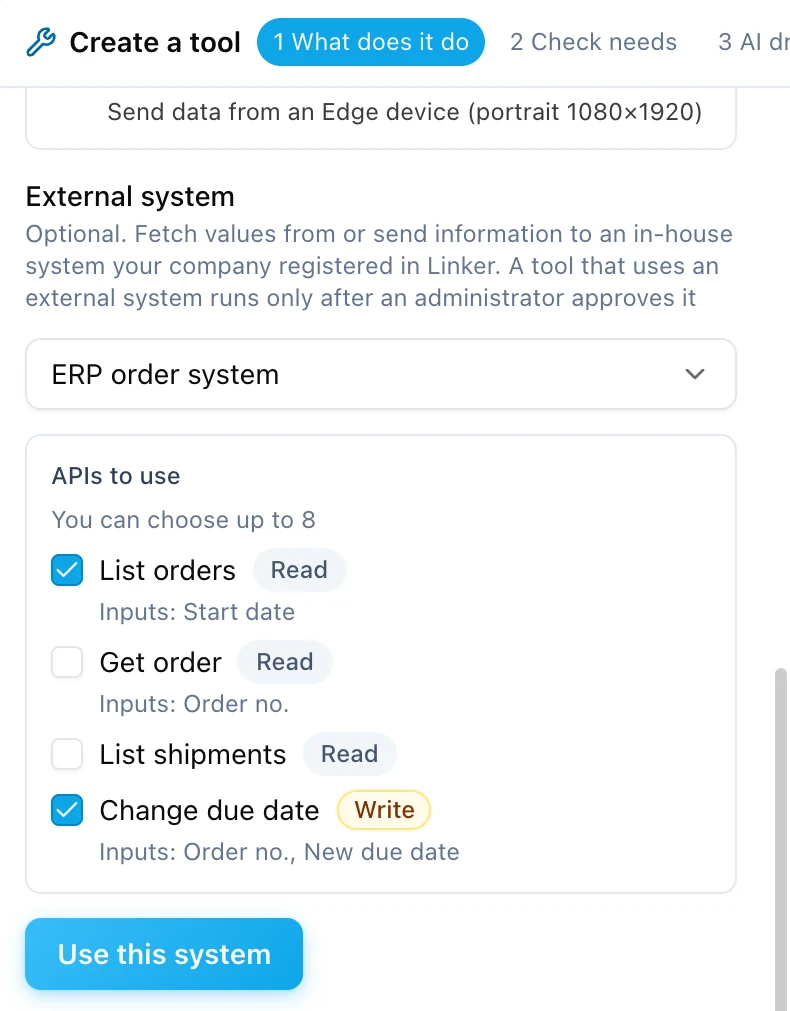
Approved definitions are used as-is by Biz Tools' «External systems» and by Craft Edge devices, and Excel/CSV tables are saved to DataCraft databases.
Key features
From shop-floor equipment to in-house systems, connected in one place
AI proposes, people approve. Managed by the company owner and deputy, available from the Basic plan.
Equipment protocols from the manual
From fixed-length and delimited frames to sum8, xor8, LRC and CRC16 checksums, AI proposes byte positions, formats and scaling based on the manual.
Three ways to register a system
Choose an API manual, an OpenAPI spec URL, or a browser extension that captures the real traffic behind the screens.
Only what's registered, with evidence
AI uses only registered APIs and fields. It never invents missing items, and every proposal cites the manual.
Same result every time after approval
Approved definitions run by fixed rules without AI, so data is read the same way every time.
All company connections in one place
Manage OAuth 2.0, API keys, tokens and ID/password logins in Connectors. Raw credentials stay in the vault, never on screen or in logs.
Automatic Excel/CSV sync from PCs
The «DataLink Sync» app for Windows and macOS uploads files when they change, and tables can be saved to DataCraft databases.